Screenshots,
made whole.

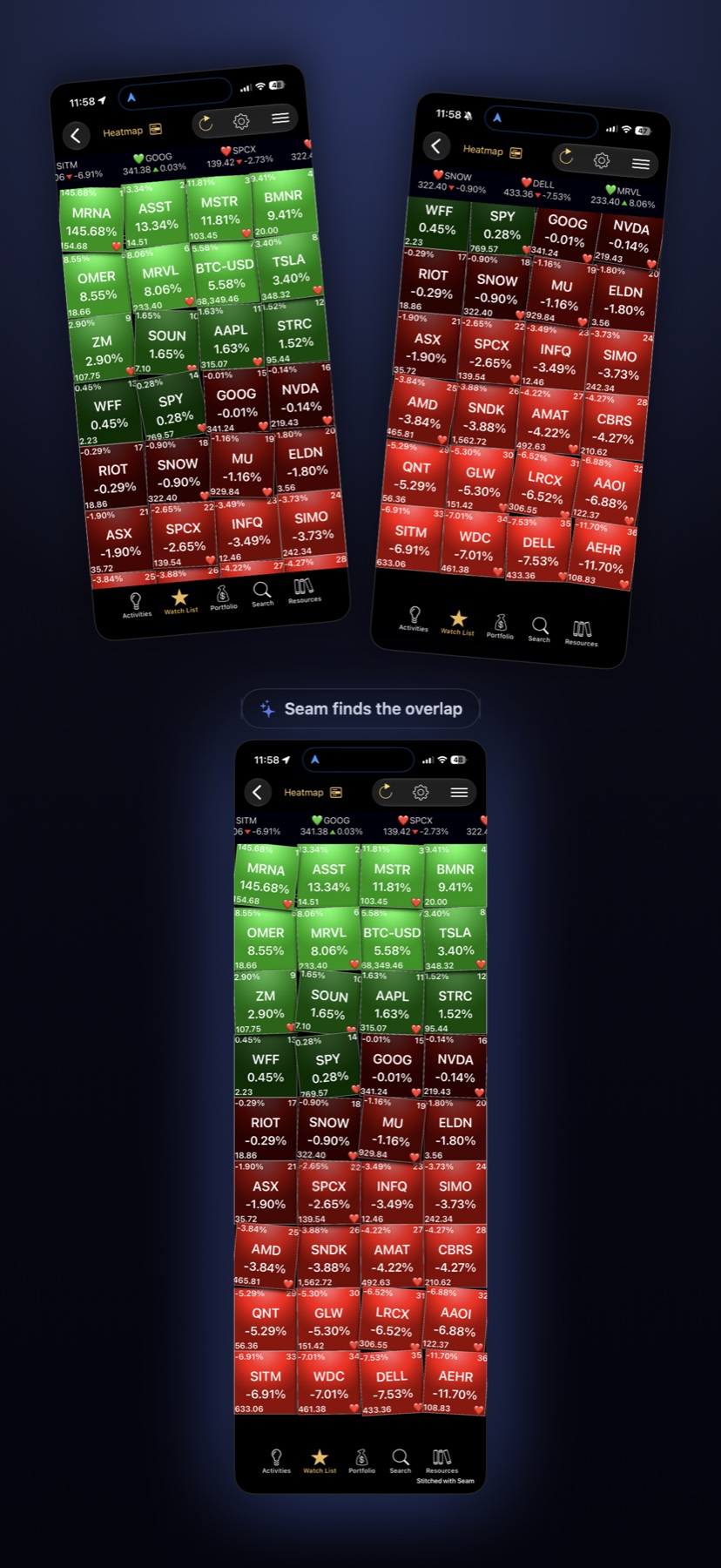
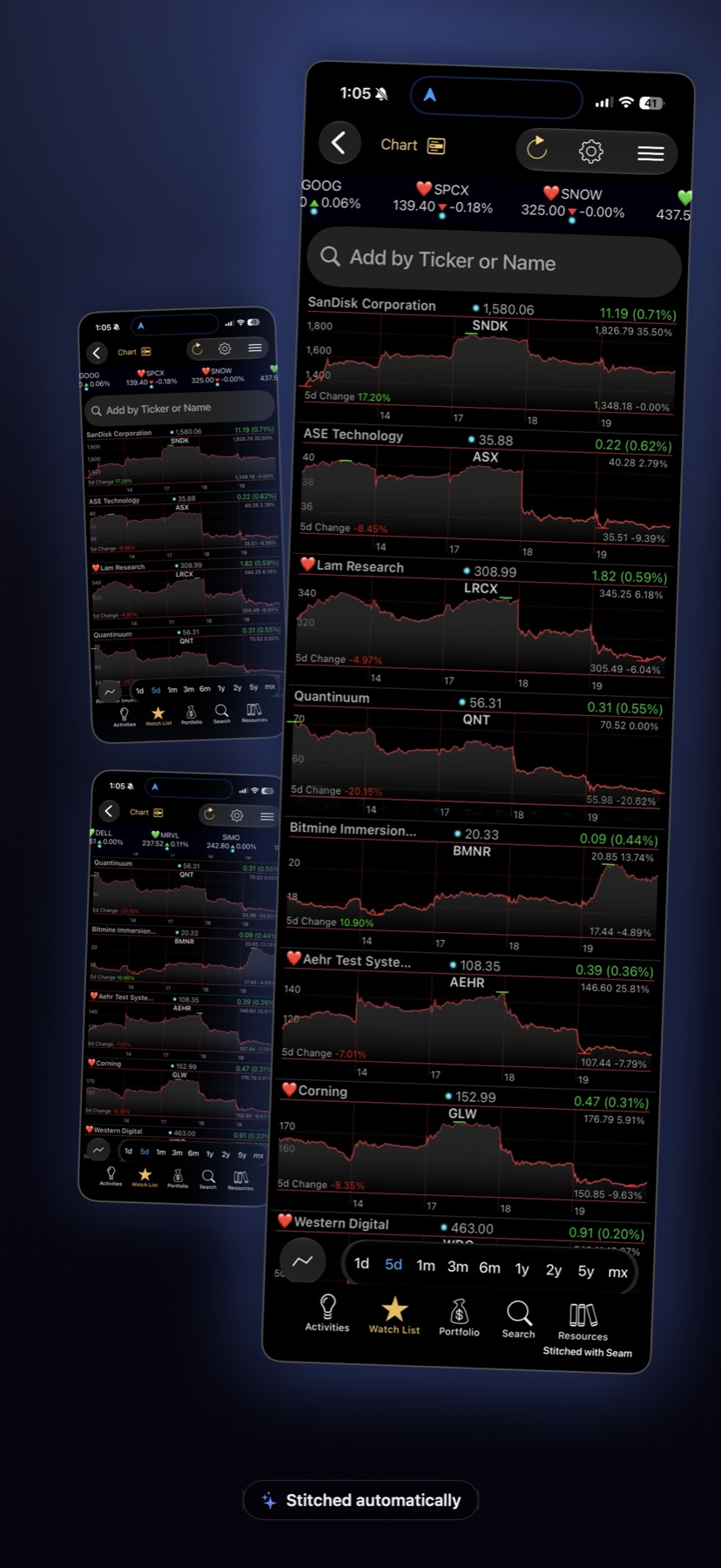
Capture a scrolling screen in pieces. Seam finds the overlap, removes the repeated bars, and fuses your shots into one seamless tall image — automatically, with a real manual mode when you want pixel control.

A finished stitch in the Seam editor
✨ Automatic stitching 🧵 Pixel-perfect manual mode 🚫 Repeated bars removed ⚡️ Screenshots fly in on their own 🔒 100% on-device
Screenshots fusing together with a glowing seam
The Seam Moment

They fly in
and fuse on their own.

1

Take your screenshots

Scroll and shoot — any order, even backwards. Seam figures out where each one belongs.

2

Watch them merge

Shots fly onto the stage, the overlap is detected, and each joint locks with a flash of the seam. Repeated bars are kept exactly once.

3

One tall image 🎉

The finished stitch lands in the editor — full resolution, feathered seams, ready to export. Then delete the originals in one tap.

The Seam Editor

When you want
pixel control.

👁️

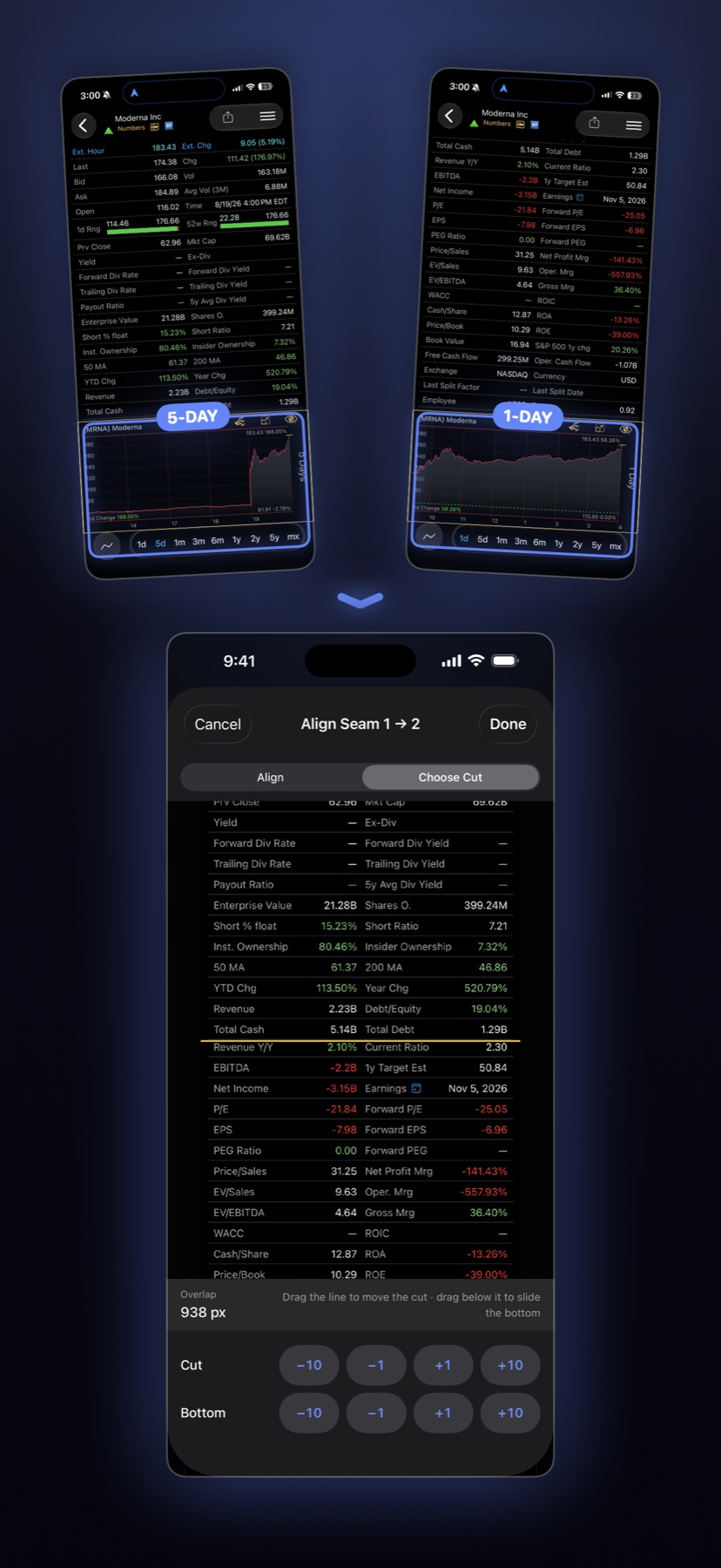
See the alignment

The live Difference view turns "is this aligned?" into something you can see — drag until the ghosting goes black.

🎯

Nudge by the pixel

Fine-tune any joint with single-pixel precision. Seams the app is less sure about are flagged so you know exactly where to look.

🪞

Preview the truth

Result mode shows exactly what you'll export — the same renderer, bit for bit. No surprises.

The seam editor's Difference view
Smart beyond stitching

The details other apps miss.

Stitching two screenshots is easy. Doing it so nobody can find the seam is the hard part — and the fun part.

🧭

Order-proof

Selected your shots backwards? Captured bottom-first while scrolling up a chat? Seam reads the content and puts them in the right order.

🧹

Chrome, handled

Navigation bars, tab bars, and even translucent floating headers are kept exactly once — not repeated at every joint.

📇

Side elements deduped

The A–Z index in Contacts-style lists appears once in your stitch. Other apps leave two.

🌫️

Feathered seams

Every joint is blended so backgrounds flow smoothly across it — no hard edge, no tone jump.

⚡️

Fly-in capture

Keep Seam open while you take screenshots and they arrive on their own — no picking, no importing.

🧽

Clean up after

Once your stitch is saved, delete the source screenshots in one tap. Your camera roll stays tidy.
🪡

Seam Pro

One purchase, forever. No subscription.

Watermark-free exports Full-resolution output Every future Pro feature